
RevMod AI-Car Tuning & Design
EASTERLY TECHNOLOGY LIMITEDArt & Design
4.425.00 Reviews
- Version
- 1.1.0
- Installs
- 100.00K
- Age Rating
- Everyone
Screenshots
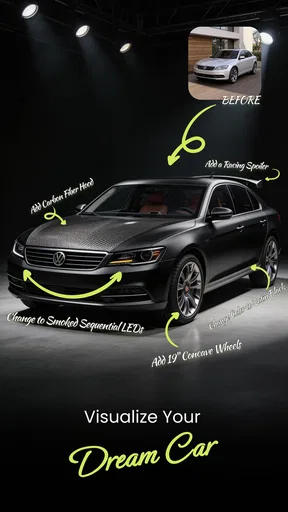
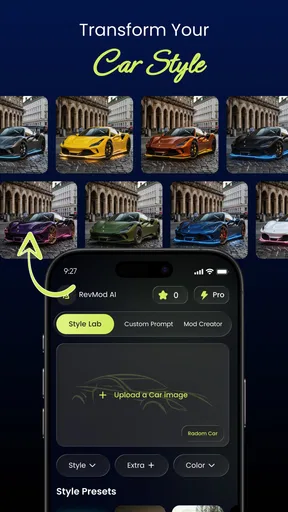
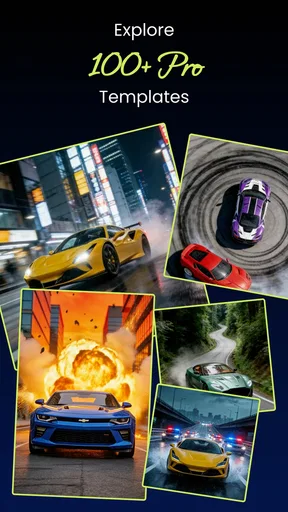
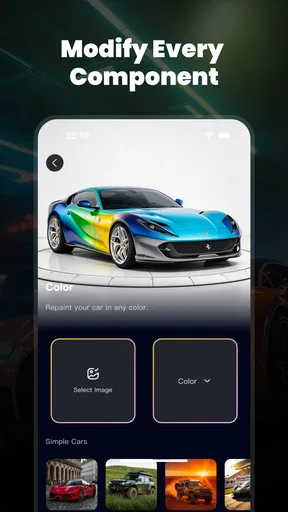
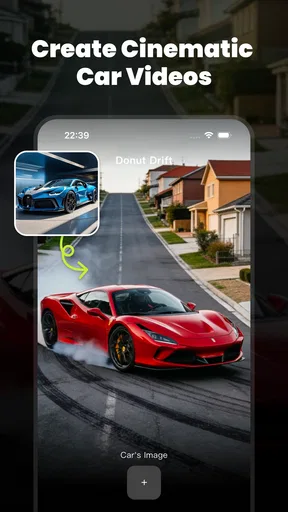
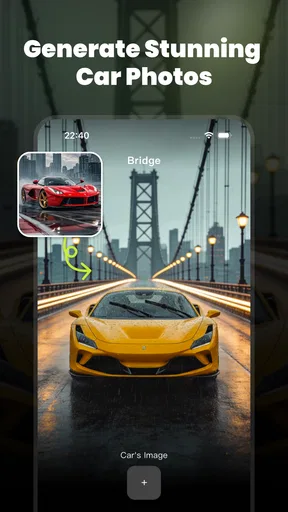
Our Review of RevMod AI-Car Tuning & Design
 Analysis by Appyee
I approached RevMod AI-Car Tuning & Design as a quick creative tool rather than a full workshop simulator. Its purpose is easy to understand: it lets me explore dream-car modifications and design ideas from a phone, which makes it appealing when I want to experiment visually without opening a complicated desktop editor. The app sits in the Art & Design category, is free to install, and is suitable for Everyone.
That simple positioning matters. I would not choose it to replace professional vehicle visualization software, nor would I expect the same control as a detailed 3D modeling package. I see it as a more approachable space for trying out styling directions, imagining a custom build, or turning a vague idea into something more concrete. The strongest reason to try it is the low barrier to entry: I can start with a car concept on a mobile device instead of learning a large creative suite first.
The developer is EASTERLY TECHNOLOGY LIMITED, and the app has reached a 4.4 average from around 14 thousand ratings, with over 100 thousand installs. Those figures suggest that the concept has found an audience, although they do not change the practical question I would ask before installing: do I want a fast design experiment, or do I need precise control over every part of a vehicle?
How the design experience feels on a phone
The mobile format is both the attraction and the main compromise. A phone is always close by, so an idea can be explored while I am waiting for a train, comparing cars at a meet, or discussing a possible project with a friend. I do not need a desk, a graphics tablet, or a long setup session to begin thinking about a new look.
That convenience makes the app particularly useful during the early stage of a project. I can use it to test a general direction before spending time researching parts or speaking with a specialist. For example, if I am unsure whether a car would suit a more aggressive appearance or a cleaner understated style, a quick visual experiment can help me decide which direction feels right.
I would keep expectations realistic, though. A visual concept is not automatically an engineering plan. A design that looks balanced on a screen may involve changes to wheels, suspension, bodywork, lighting, or other components that require professional advice. I treat the result as inspiration and communication material, not as proof that a modification will fit or remain road legal.
One useful habit is to begin with a clear brief instead of changing everything at once. I find it easier to judge a design when I decide what I am trying to improve: stance, color, front-end character, track-inspired styling, or a more refined street appearance. Changing several visual ideas together can produce an exciting image, but it becomes harder to understand which choice actually improved the design.
This is where a mobile design tool can be more helpful than a traditional image editor for casual users. General editing software gives me many technical controls, but it also makes me build the concept manually. RevMod is aimed at the car idea itself, so the creative question stays in focus. On the other hand, a conventional editor remains the better choice when I need exact masking, measured proportions, paint samples, or a presentation-ready image.
Where connectivity changes the workflow
The app’s experience should be considered in relation to the network connection available at the moment. Any workflow that depends on processing, loading, or exchanging design content can feel very different on a strong connection compared with a crowded public network. I prefer to begin significant experiments when the connection is stable, especially if I am working from a place where mobile reception changes frequently.
This is not just a question of speed. A slow or unreliable connection interrupts creative momentum. When I am testing several ideas, even a small pause between attempts can make the process feel less spontaneous. I would avoid treating the app as a dependable replacement for a local design program during a trip or event unless I had already tested the exact workflow under similar conditions.
For a practical mobile routine, I would prepare a small set of ideas before opening the app: the type of vehicle, the mood I want, and the main visual change. That reduces wasted time if loading takes longer than expected. It also helps me compare results fairly instead of making random changes simply because I am waiting for the next screen.
Connectivity also affects sharing. If I want to show a concept to a friend, a car club, or a customization shop, I need to think about when the image will be sent and how much mobile data that exchange may use. I would rather finish the visual work first and share selected results than repeatedly send every minor variation.
Useful mobile situations and awkward ones
The best everyday scenario is a short creative session. Imagine I am considering a used car and want to picture how a different visual direction might suit it. I can explore the idea during a break, save the most convincing concept if the app and device workflow allow it, and use that result to explain what I like. It will not tell me whether the parts are compatible, but it can make a conversation more specific.
Another good use is preparing for a design discussion. Friends often use vague descriptions such as “sportier” or “more premium,” which can mean very different things. A visual concept gives those words a reference point. I can compare a restrained version with a more dramatic one and decide which better matches the car’s character.
I would be less enthusiastic about using it while driving, at a busy event, or in any situation where my attention is divided. The app is creative, not a navigation or vehicle-safety tool, and a phone screen is a poor place to make rushed decisions. It is better suited to a parked car, a quiet room, or a planned break.
Screen size is another consideration. A phone works well for broad visual judgments, but small details can be easy to miss. I would not make a final decision about subtle trim alignment, tiny body transitions, or exact color relationships without checking the result on a larger display when possible. The mobile view is excellent for direction; it is less convincing as the only review stage for fine detail.
That distinction helps explain who should use it. Beginners, car enthusiasts, and people collecting ideas for a future build are likely to get the most value. Someone who already works in a professional visualization pipeline may find it too limited for production work, especially if they need precise dimensions, layered files, or a controlled asset library.
What to do when a session breaks
Connectivity problems are most frustrating when they happen after I have already invested time in an idea. My safest approach is to work in short, deliberate stages rather than assuming every change is permanently preserved immediately. After an important result, I would check that it has actually completed its next step before closing the app or switching networks.
I also avoid making a long chain of changes without pausing to review the current result. If something fails, a smaller sequence makes it easier to remember the last successful direction. This is especially useful when I am comparing several versions and do not want to recreate the entire concept from memory.
If the app becomes unresponsive, I would first give the current action a moment rather than tapping repeatedly. Multiple taps can make it harder to tell whether the problem is a delay or a duplicated request. If I need to restart, I would reopen the project carefully and confirm which version is visible before continuing. These are ordinary precautions, but they matter more in a creative app because a lost visual idea can be difficult to reproduce exactly.
I would also keep a simple written note of the choices behind a favorite design: the overall style, the main color direction, and the change that made it work. That note is valuable even if the app session is interrupted, because it turns a visual experiment into a repeatable brief. It also prevents me from confusing a striking image with a practical modification plan.
Recovery is not only about technical failure. Sometimes the design itself goes in the wrong direction. Instead of endlessly correcting small details, I find it more useful to return to the original goal and ask what changed. If the car now looks too busy, I would remove the least important idea rather than adding another element to compensate. This keeps the creative process controlled and makes comparisons more meaningful.
Free entry, paid boundaries, and personal data habits
The app is free, which makes trying the basic experience an easy decision for curious users. There are in-app purchases ranging from around three dollars to around 120 dollars per item, so I would pay attention to the purchase flow before committing to anything. A free starting point is welcome, but the possible cost range means I would not assume that every useful creative option is included without payment.
My advice is to decide what I actually need before buying. If I only want occasional inspiration, a paid upgrade may not be worthwhile. If I am using the app repeatedly to develop a coherent concept, I would first make sure the workflow fits me and that the output is useful for my purpose. I would also avoid purchasing simply because a single result looks promising; consistency across several ideas is a better reason to spend.
Connectivity and data use deserve the same cautious approach. I would use a trusted connection for substantial sessions, avoid repeatedly generating or sending unnecessary versions, and review the app’s permission and account prompts in plain language before accepting them. I would not enter private client information, personal documents, or sensitive project details unless I had a clear reason to do so.
For casual experimentation, a generic description of the car and the visual goal is usually enough. I would leave out identifying details about another person’s vehicle, private registration information, or photographs that include unrelated people. This keeps the creative exercise focused and reduces the amount of personal material involved.
A useful data-conscious workflow is to separate exploration from sharing. First, I would make several concepts and select only the strongest one or two. Then I would share those deliberately, rather than uploading every draft. This saves data, reduces clutter, and makes feedback more useful because friends are responding to considered options instead of a stream of near-duplicates.
Users on limited mobile plans should be especially deliberate about when they work. I would prefer a reliable home or studio connection for longer sessions and reserve mobile use for short checks or small adjustments. I would not assume that a connection-free workflow is available, so I would test the app before relying on it at a car show, on a road trip, or in an area with weak reception.
How it compares with familiar alternatives
Compared with a normal photo editor, RevMod offers a more focused starting point for car customization ideas. A photo editor is stronger when I already have a specific vehicle image and want to make exact manual changes. It gives me greater control, but that control also brings more work. I need to select shapes, manage layers, correct perspective, and make the result look believable myself.
Compared with a full 3D modeling application, this app is easier to approach but less suitable for technical planning. A 3D tool can support measured geometry, multiple viewpoints, and more detailed scene construction, while RevMod is better understood as a quick visual concept companion. I would choose the larger tool for a serious design presentation and this app for early exploration or conversation.
Compared with browsing finished builds on social media, the advantage is active participation. I am not only looking at someone else’s car; I am trying to form my own direction. The trade-off is that social platforms provide a wider range of real-world references, including how modifications look in different lighting and from different angles. I often find the best process is to use real builds for inspiration and the app for testing a personal variation.
It also differs from a conventional vehicle configurator. A manufacturer’s configurator is usually tied to a particular model and its available options, while a creative tuning app is more useful when I want to imagine a broader custom identity. The manufacturer’s tool is the safer reference for official trims and factory choices; RevMod is more interesting when I am thinking beyond the standard catalog.
That comparison leads to a clear trade-off: the more freedom I want, the more carefully I need to separate visual appeal from real-world feasibility. I would happily use the app to decide what kind of look I want, then move to specialist advice, product research, or a proper measurement process before purchasing parts.
Who will enjoy it and who should skip it
I recommend giving it a try if you enjoy imagining custom cars but do not want to learn complex design software. It is also a sensible choice for someone preparing a mood board, discussing a build with friends, or looking for a quick way to compare broad styling directions. The free entry makes experimentation less intimidating, while the Everyone age rating keeps the app approachable for a wide audience.
I would be more cautious if your goal is a professional deliverable, an accurate fitment plan, or a legally reliable modification guide. In those cases, a dedicated editor, a 3D package, manufacturer documentation, or an experienced specialist will be more appropriate. The app can support the conversation, but it should not be the only authority behind a costly or safety-related decision.
People who dislike network interruptions may also want to test it during a normal session before building it into their routine. The mobile advantage is strongest when the connection and response feel dependable. If I am constantly waiting, retrying, or wondering whether a result was preserved, the creative benefit quickly becomes less important than the friction.
The current version is 1.1.0 and it requires Android 7.0 or later, so compatibility is straightforward for many Android users with reasonably modern devices. I would still check the experience on my own phone before planning a large project, because screen size, connection quality, and device performance can affect how comfortable a design workflow feels.
After using it as a concept tool, my view is positive but deliberately practical. RevMod is most convincing when I use it to explore a direction, not to pretend that a finished visual is a finished build. It makes car styling more approachable, fits naturally into short mobile sessions, and can turn an unclear idea into something I can discuss.
The connectivity angle is central to that verdict. I would use a stable connection for longer experiments, keep personal information to a minimum, save or record important results carefully, and avoid relying on it in places where interruptions are likely. Those habits remove much of the avoidable frustration without changing what the app is designed to do.
For me, the final question is simple: do I want a fast, accessible way to imagine a custom car? If yes, this free Art & Design app is worth exploring. If I need exact engineering, production artwork, or a fully local workflow, I would choose a more specialized alternative instead. That boundary is not a weakness; it is the key to getting useful results from the tool.
In short, I would recommend it to creative car fans, beginners, and anyone who wants a visual starting point before making bigger decisions. I would approach the optional purchases carefully, treat network availability as part of the experience, and keep a professional source involved whenever the idea moves from screen to real vehicle. Used that way, RevMod delivers a focused and enjoyable design playground rather than an unrealistic promise of a complete tuning solution.
Verdict
Strengths of RevMod AI-Car Tuning & Design
- Easy-to-use tools for visualizing custom car modifications
- Useful inspiration for exploring different tuning styles
- Quick results without requiring advanced design skills
- Supports creative experimentation before spending on real parts
- Engaging interface for car enthusiasts and customization fans
Limitations of RevMod AI-Car Tuning & Design
- AI-generated designs may not always look realistic or mechanically possible
- Some features or designs may require in-app purchases
- Results depend heavily on the quality of the uploaded car photo
- Limited value for users seeking accurate engineering specifications
- Privacy concerns may apply when uploading personal vehicle images
Similar Picks in This Category
View All
Canva: AI Photo & Video Editor
Canva4.8

PENUP – Drawing-sharing SNS
Samsung Electronics Co., Ltd.4.5

Crafto
Kutumb App4.6

Sketchbook
Sketchbook4.1

ibis Paint X
ibis inc.4.5

Adobe Express: AI Photo, Video
Adobe4.6
Frequently Asked Questions
What is RevMod AI-Car Tuning & Design?
RevMod AI-Car Tuning & Design is a mobile customization app focused on modifying and visualizing vehicles. It uses AI-assisted tools to help users explore different tuning ideas, exterior styling changes, colors, wheels, body kits, and other design concepts. It is mainly intended for creative experimentation and inspiration rather than replacing professional automotive design, engineering, or workshop advice.
How does the AI car design feature work?
The app generally allows you to provide a vehicle image or select a car concept, then apply visual changes using AI-powered design tools. Depending on the available version, you may be able to describe a style, choose modification categories, or generate alternative looks. Results can vary based on image quality, vehicle angle, lighting, and how specifically your requested design is described.
Can RevMod create real tuning instructions or guarantee that modifications will fit my car?
No. AI-generated designs should be treated as visual concepts, not guaranteed installation plans. A generated bumper, wheel setup, suspension height, exhaust system, or engine modification may not be compatible with your specific vehicle. Before purchasing parts or making mechanical changes, confirm measurements, safety requirements, local regulations, and professional installation details with a qualified automotive specialist.
Is RevMod AI-Car Tuning & Design free to download and use?
The app may be available to download without an upfront charge, but some features can be limited by subscriptions, in-app purchases, credits, advertisements, or usage restrictions. Pricing and available tools may change between Android and iOS versions or after updates. Check the official store listing and the in-app purchase screen carefully before starting a trial or approving any payment.
What should I know about privacy when uploading car images?
Before uploading photographs, review the app’s privacy policy and permission requests. Images may be processed through online AI services, which can involve transferring files to external servers for analysis or generation. Avoid including license plates, faces, addresses, documents, or other sensitive information unless you understand how the data is handled, stored, and deleted. Only grant camera or photo-library access when necessary.
